Team email signatures
One shared brand. Every teammate.
Give your team a consistent signature without rebuilding it for every person. Set the shared brand, keep personal details individual, and prepare matching profile pictures and banners in the same workspace.
14-day trial, then US$29/month for up to 25 seats. Card required.
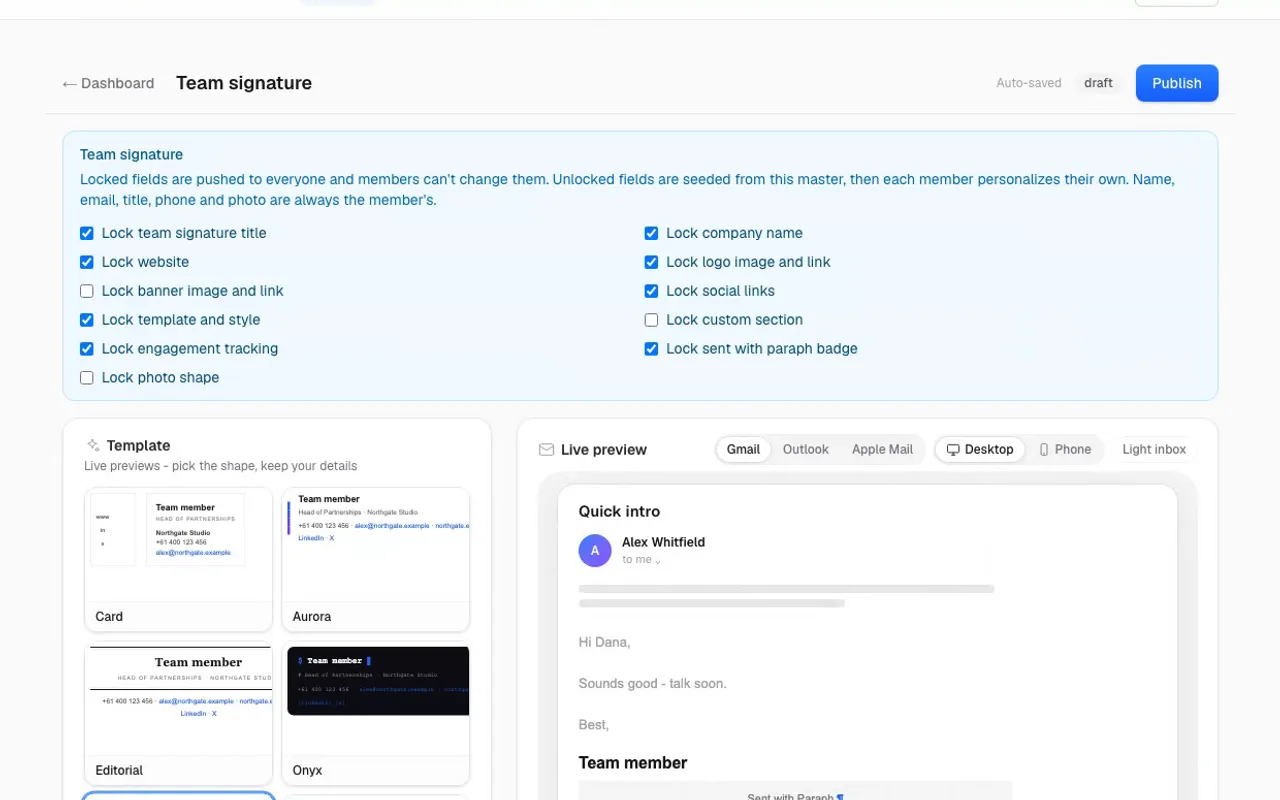
Set the shared standard
Build a master signature and lock brand fields so teammates work within your chosen look.
Make campaigns part of the signature
Prepare campaign banners and manage the shared banner library. Bring the same message into your team’s signatures.
Keep social profiles consistent too
Prepare and push matching social kits for teammates to download and upload to their own accounts.
From your brand to the finished result.
- 01
Set up your brand
Choose the master signature, shared assets and brand controls.
- 02
Bring in your team
Invite teammates or use bulk import, then prepare their signatures and social kits.
- 03
Install and check
Teammates install signatures in their email apps and upload their social assets.
Before you get started.
How many people can I include?
Team includes up to 25 seats. Business supports unlimited seats. Compare plans for the full limits and features.
Are signatures automatically installed in mailboxes?
No. You manage and push signatures within Paraph; teammates still install and test them in their email clients. Directory sync and automatic mailbox injection are not included.
Can I manage social profiles as well?
You can manage shared brand assets and prepare team social kits. Teammates download and upload the files. Paraph does not schedule social posts or manage social accounts on their behalf.
Put it into practice.
Make it yours.
14-day trial, then US$29/month for up to 25 seats. Card required.